Product photos to posts
Turn the product photo on your phone into an on-brand post.
Clean up the photo without changing the product, set it in a new scene, or turn it into a designed post with your headline. Your colors, your type, your catalog. You approve before anything posts.
Free plan · no card · 800 tokens, about 30 images.
Three phone photos, three posts
Each pair is one product: the photo as it was taken, and the post made from it.
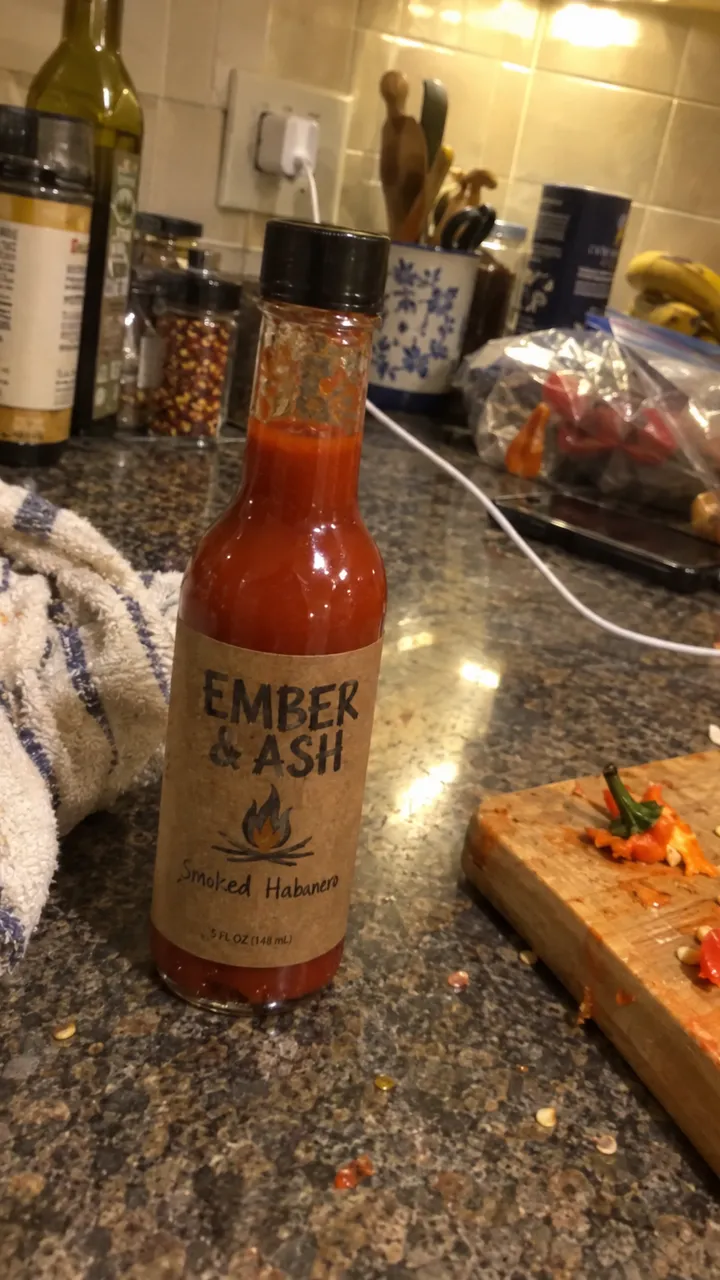 Phone photo
 Post
PostEmber & Ash, hot sauceSame bottle, set for taco night 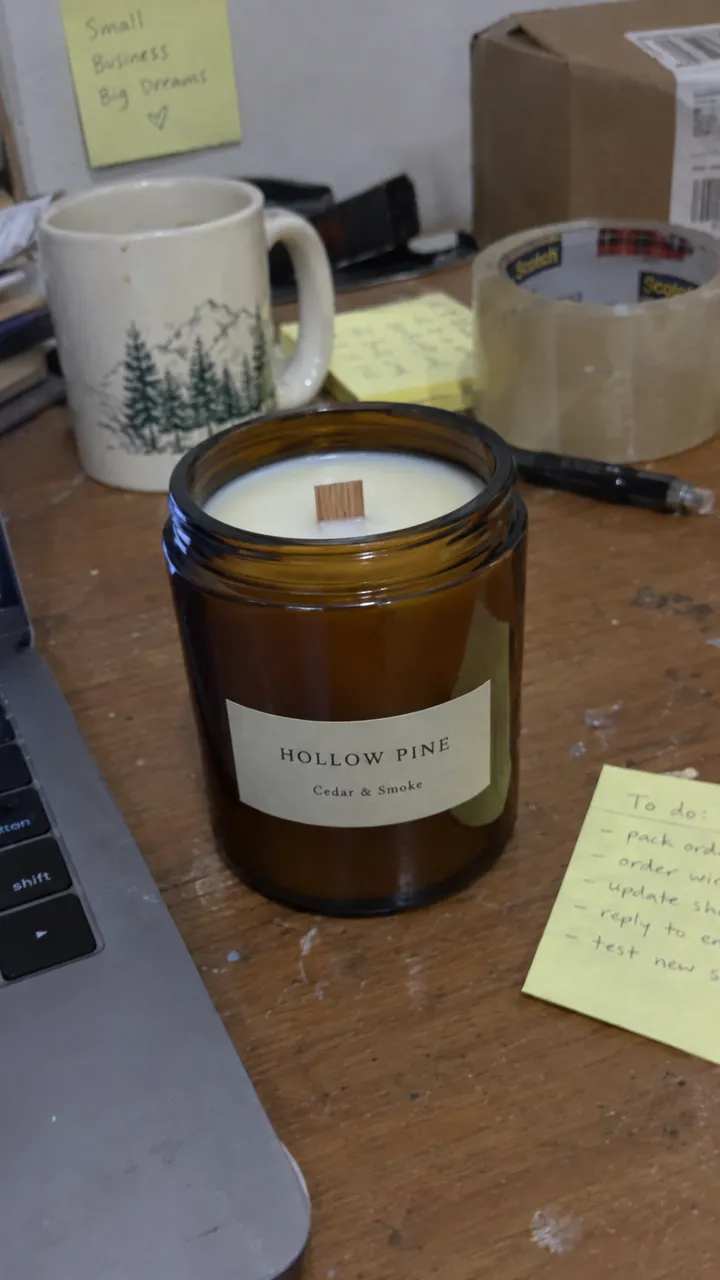 Phone photo
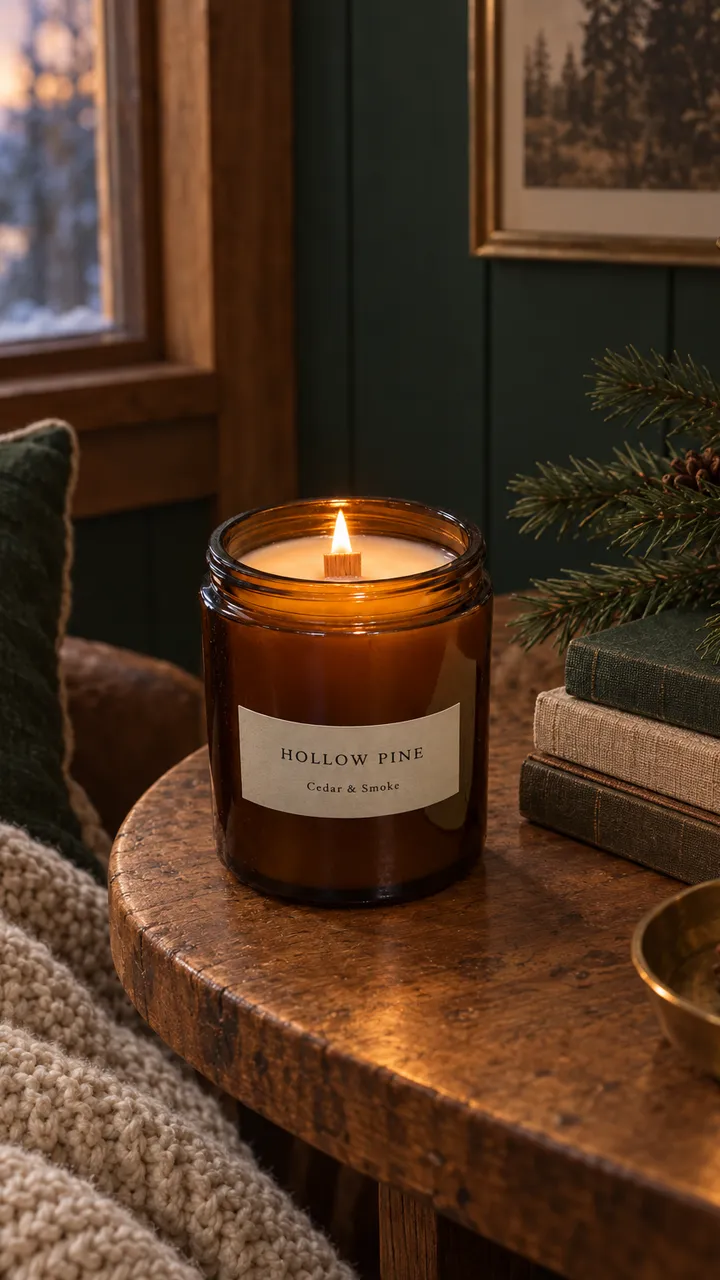 Post
PostHollow Pine, candlesSame jar, desk cleared, a quiet corner 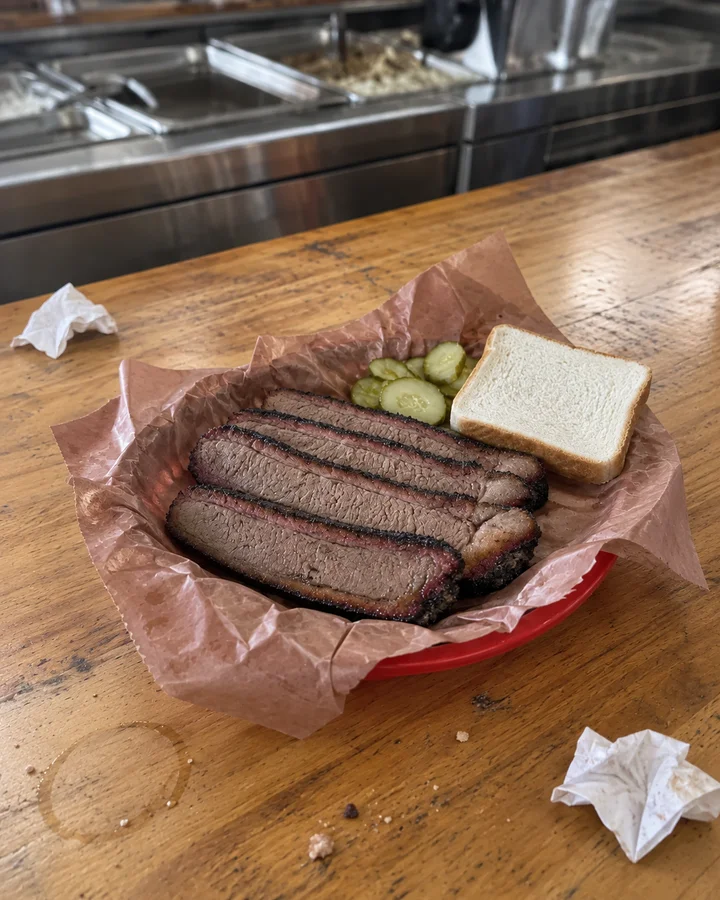 Phone photo
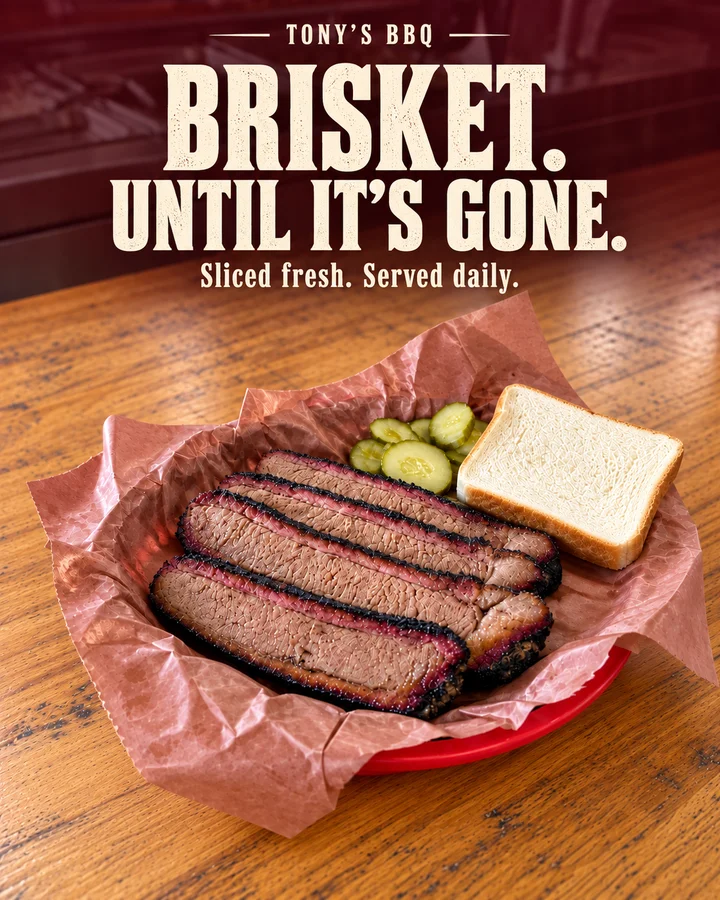 Post
PostTony’s BBQ, restaurantPro Ad, headline in the brand’s type
Ember & Ash, Hollow Pine and Tony’s BBQ are illustrative demo brands.
How a photo becomes a post
Snap or pick a photo
Take it on your phone, choose one from your library, or start from a catalog item’s reference photos.
Enhance it
Clean Up keeps the product, packaging and text as they are and fixes clutter and light. Vibrant, Hero Shot and Cinematic restyle the scene; Pro Ad turns it into a designed ad.
Or make a new scene
Describe the post and name catalog items with @. Up to four of their reference photos go in, so the product in the new scene is yours.
Approve it
It lands in a draft with a caption in your voice. Schedule it, or send it back with one sentence about what to change.
Good to know
What it costs
An image is 25 tokens with the default model. The 800 tokens on Free make about 30. Posting your own photos costs nothing.
Shapes for every feed
Square, 4:5 for feeds and 9:16 for Stories and Reels. A tall image headed for an Instagram or Facebook feed is fitted to 4:5 when it publishes.
Your logo when you want it
Brand colors come from your Brand Brain. When you make an image yourself, the logo goes in only when you add it with @logo.
When it gets something wrong
Thumbs down, pick Media and say what’s off in one sentence. It becomes a rule for the brand, or for that angle only, and you can regenerate the picture.
Questions, answered straight
Does it ever change the product?
Clean Up is told to keep the product, its packaging and its text as they are. Restyled and newly made scenes start from your reference photos but are new pictures, so look at the product before you approve. If it’s off, say so and regenerate.
Do I need a photographer or a light box?
No. A phone photo in ordinary light is enough to start. The examples above started on a kitchen counter, a desk and a lunch counter.
Can I post my own photo exactly as it is?
Yes. Enhancing is optional, and posting your own photos and videos costs no tokens.
See it with your own photos.
Free includes 800 starter tokens, one brand or location and one connected platform, with no card. Autopilot Solo is $119 a month and runs the Draft Engine on a schedule. You approve every post either way.